You open Sportzfy to watch a live match, but the app is stuck on loading, showing a black screen, buffering too much, or not opening at all. If this sounds familiar, you are not alone. Many users face these problems from time to time, especially during major football and cricket matches when app traffic is higher than usual.
The good news is that most Sportzfy not working issues can be fixed in a few minutes. In many cases, the problem is related to internet connection, app cache, an outdated version, server load, or even a modified APK downloaded from an unofficial website.
Before uninstalling the app or changing your device settings, try the fixes explained in this guide. These simple steps help solve the most common Sportzfy problems reported by Android users.
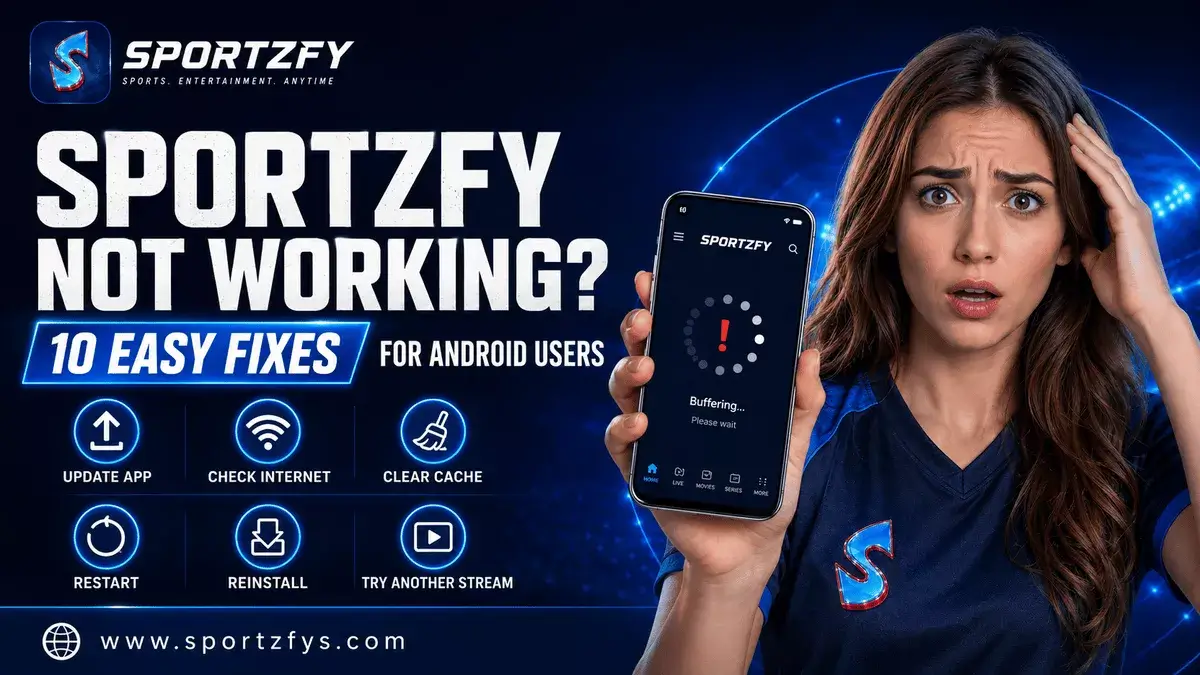
Quick Fix Summary
Why Is Sportzfy Not Working?
Sportzfy can stop working for different reasons. Sometimes the issue is from the user’s internet connection, and sometimes it happens because the app version is old or the server is busy during a big live match.
In some cases, the problem is not with Sportzfy itself. Many users accidentally install modified APK files from random websites. These versions may have extra ads, changed files, wrong version names, or broken streaming links.
Common Reasons
- Weak internet connection
- Old Sportzfy version
- App cache problem
- Server load during live matches
- Android compatibility issue
- Fake or modified APK file
- Event link or channel issue
If you are new to the app, first read our guide on what Sportzfy TV is so you can understand the correct version, features, and safe download guidance before trying advanced fixes.
Quick Fix Checklist
Before trying detailed steps, go through this quick checklist first. Many Sportzfy problems are solved with one of these simple actions.
Try These First
- Restart the Sportzfy app.
- Check your WiFi or mobile data.
- Clear the app cache.
- Make sure you are using the correct Sportzfy APK.
- Update to the latest available version.
- Try another event link or channel.
- Restart your Android device.
- Reinstall Sportzfy only if nothing else works.
If the app still does not work after these steps, follow the detailed fixes below one by one.
1. Check Your Internet Connection
The first thing to check is your internet connection. Sportzfy needs a stable connection because live sports streams can stop, buffer, or fail to load if the network is weak.
Try These Simple Checks
- Switch from WiFi to mobile data.
- Switch from mobile data to WiFi.
- Restart your WiFi router.
- Move closer to your router if the signal is weak.
- Open another app or website to test your internet speed.
2. Restart the Sportzfy App
Sometimes Sportzfy may freeze or stay stuck on loading because the app did not open properly in the background. A simple restart can fix this issue.
Follow These Steps
- Close Sportzfy completely.
- Remove it from recent apps.
- Wait a few seconds.
- Open the app again.
- Try the same event or channel once more.
This fix is useful when the app opens but does not respond, refresh properly, or load the event screen.
3. Clear Sportzfy App Cache
App cache can sometimes cause loading problems, black screen issues, or slow performance. Clearing cache does not usually remove the app itself, but it can refresh temporary files.
Clear Cache on Android
- Open Settings on your phone.
- Go to Apps or App Management.
- Find and tap Sportzfy.
- Tap Storage.
- Select Clear Cache.
- Open Sportzfy again and check if it works.
4. Make Sure You Are Using the Correct Sportzfy APK
If Sportzfy is not working properly, the APK file itself may be the reason. Many websites now publish modified Sportzfy versions with extra ads, changed files, or incorrect version names.
Signs You May Have Installed a Modified Version
- Too many ads inside the app
- Unexpected popups
- Different interface from the normal app
- Frequent crashes
- Streams not opening correctly
- Strange permission requests
- App behaving differently after installation
Sportzfy introduced the New Glass UI and 12-Hour Ad System in the Sportzfy 14 update. The purpose was to reduce interruptions by showing a short ad occasionally, instead of showing ads again and again.
5. Update to the Latest Sportzfy Version
An old Sportzfy version can cause loading problems, broken event links, or slow app performance. If the app is not working after basic fixes, check whether a newer version is available.
Before updating, make sure you download the APK from a trusted Sportzfy source. Some websites show wrong version numbers or rename old files to look new, so always check the version details carefully.
Before Updating
- Check the current version number.
- Avoid modified or fake APK files.
- Download from the trusted Sportzfy download page.
- Uninstall the old version only if the update does not install.
- Restart your device after updating if the app still feels slow.
6. Try Another Event Link or Channel
Sometimes Sportzfy is working fine, but one event link or channel may not load properly. This can happen during busy live matches when many users open the same stream at the same time.
If one link is slow or stuck, go back to the event list and try another available option. You can also check the Live, Recent, or Upcoming sections to find the correct event again.
What You Can Try
- Open another event link.
- Try a different sports channel.
- Go back and refresh the event list.
- Open the app a few minutes before match time.
- Avoid clicking the same broken link again and again.
7. Restart Your Android Device
If Sportzfy still does not work, restart your Android phone, tablet, or TV device. Sometimes background apps, low memory, or temporary system glitches can affect how an app opens and loads streams.
Restarting the device can help refresh the system and clear small issues that are not fixed by closing the app only.
When Restarting Helps
- Sportzfy opens slowly.
- The app keeps freezing.
- Streams are stuck on loading.
- Your phone feels slow.
- Android TV box is not responding properly.
After restarting, open Sportzfy again and check the event or channel you were trying to watch.
8. Check If Sportzfy Server Is Busy
During big live matches, Sportzfy may feel slow because many users open the app at the same time. This usually happens during popular football, cricket, or tournament matches when traffic suddenly increases.
If the server is busy, the app may take longer to load events or open streams. In that case, do not keep tapping the same link again and again.
What You Can Do
- Wait 2–3 minutes and try again.
- Try another event link or channel.
- Restart the app once.
- Open Sportzfy before kickoff next time.
- Use a stable internet connection.
For big football events, you can also read our guide on how to watch FIFA World Cup 2026 on Sportzfy TV so you can prepare the app before the match starts.
9. Fix Sportzfy Black Screen Problem
A black screen can appear when the stream does not load properly, the app cache is creating problems, or the selected channel is temporarily not working. This issue is common with live streaming apps and can often be fixed with simple steps.
Try These Fixes
- Close and reopen Sportzfy.
- Clear the app cache.
- Try another event link or channel.
- Restart your Android device.
- Check your internet connection.
- Update Sportzfy to the latest available version.
If the black screen appears only on one channel, the issue may be with that specific stream. Go back to the event list and try another available option.
10. Reinstall Sportzfy Safely
If none of the fixes work, reinstalling Sportzfy can help. But this should be the last option, especially if the app was working before and suddenly stopped.
Before reinstalling, make sure you are not using a modified or fake APK file. Download Sportzfy again only from a trusted source so you do not install the same problem again.
Safe Reinstall Steps
- Uninstall the old Sportzfy app.
- Restart your Android device.
- Download the latest Sportzfy APK from a trusted page.
- Install the app again.
- Open Sportzfy and check the event or channel.
A fresh install can fix broken files, update issues, and problems caused by old app data.
Where Can Users Get Updates or Help?
If Sportzfy still does not work after trying the fixes above, the issue may be related to the app version, download source, device compatibility, or a temporary event problem.
For update news, users can follow the official Telegram channel @sportzfytvbd. There is also a community chat group where users may ask questions, report issues, or check if other users are facing the same problem.
FAQs About Sportzfy Not Working
Why is Sportzfy not working today?
Sportzfy may stop working because of internet issues, app cache problems, an old version, server load during live matches, or a modified APK file.
Why is Sportzfy not opening on my phone?
Try restarting the app, clearing cache, updating the app, or restarting your Android device. If the problem continues, reinstall the latest version from a trusted source.
Why is Sportzfy buffering during matches?
Buffering usually happens because of a weak internet connection, high traffic during live matches, or a slow stream. Switching networks or trying another event link can help.
Why is Sportzfy showing a black screen?
A black screen may appear when a stream fails to load properly. Clearing cache, restarting the app, updating the version, or trying another channel often fixes the issue.
Can fake APKs make Sportzfy stop working?
Yes. Many websites now publish modified Sportzfy APKs with extra ads, changed files, or incorrect version information. These versions can cause crashes, loading issues, and poor app performance.
Should I reinstall Sportzfy?
Reinstalling should be the last option. First try internet fixes, cache clearing, app restart, and updating the version. If nothing works, perform a clean reinstall.
Where can I get Sportzfy updates?
Users can follow the official Telegram channel @sportzfytvbd for Sportzfy update announcements and version-related news. There is also a community group where users discuss common issues and solutions.
Final Words
Sportzfy not working can be frustrating, especially when a live match is about to start. Most of the time, the issue can be fixed by checking the internet connection, restarting the app, clearing cache, updating the version, or trying another event link.
Users should also be careful with fake or modified APK files. If your app shows too many ads, crashes often, or looks different from the normal Sportzfy interface, reinstall it from a trusted source.
For the best experience, keep Sportzfy updated, open the app before match time, and follow @sportzfytvbd for update announcements and community discussions.